








Mail : bulkprintouts@gmail.com
Call / Whatsaap : 9820 169 619

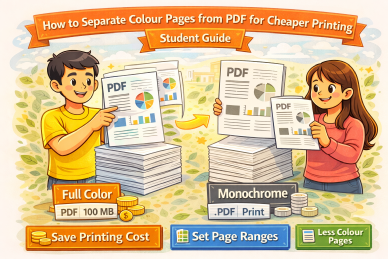
How to Separate Colour Pages from PDF for Cheaper Printing
Many students unknowingly print entire PDF files in colour even when only a few pages actually need colour. This significantly increases printing cost. This guide explains how separating colour pages from a PDF helps reduce printing expenses without losing important visuals.
Why Printing Mixed PDFs in Colour Is ExpensiveWhen a PDF file contains even a few colour pages, many printing systems treat the entire document as a colour job. This results in all pages being charged at colour printing rates. For textbooks and notes with mostly text, this can multiply the total printing cost unnecessarily. |
|
Featured Tool
Automatic Colour and Black and White PDF SeparatorTo avoid manual page checking, our website provides an automatic tool that separates colour pages and black and white pages from a PDF in one step. The tool intelligently detects colour content and automatically keeps front and back partner pages together, making it ideal for correct double-sided printing. This helps prevent accidental colour charges and ensures your final print-ready files are organised properly. Related guide: extract colour pages from PDF for printing and reduce printing cost |
Identify Which Pages Actually Need ColourIf separating manually, review the PDF and note which pages genuinely require colour, such as diagrams, charts, maps or highlighted illustrations. Pages containing only text can safely be printed in black and white without affecting readability or exam preparation. |
Why Automatic Separation Works BetterManual separation is time-consuming and error-prone, especially for double-sided documents. Automatic separation ensures colour pages and their partner pages stay together, avoiding mismatched printing. |
SummarySeparating colour pages from a PDF is one of the most effective ways to reduce printing expenses. Using an automatic colour separator further improves accuracy and saves time. For a detailed explanation, see our guide on extracting colour pages from PDF to reduce printing cost . |