


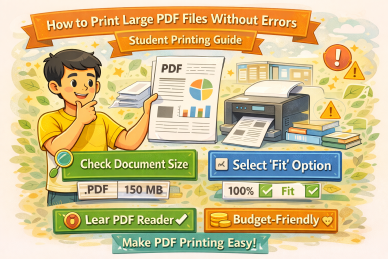
How to Print Large PDF Files Without Errors
Large PDF files with hundreds of pages often cause printing problems such as missing pages, software crashes or incomplete output. This guide explains how students can safely print large PDF files without errors and avoid costly reprints.
Why Large PDF Files Cause Printing IssuesLarge PDFs require more memory and processing power to print. If the system or printer cannot handle the file size, errors such as skipped pages or partial prints may occur. Complex layouts, high-resolution images and embedded fonts can further increase file complexity. |
Split Large PDFs into Smaller SectionsDividing a large PDF into smaller sections reduces the risk of printing failures. Smaller files are easier to process and allow errors to be identified early. This approach is especially useful for book printing and large sets of student notes. |
Check Page Order and Missing PagesBefore printing, scroll through the entire PDF to confirm that all pages are present and in the correct order. Detecting missing or duplicate pages early helps prevent costly reprints and wasted paper. |
Avoid Printing Everything at OnceSending very large print jobs in one go increases the chance of system or printer errors. Printing in smaller batches allows better monitoring and helps ensure consistent output quality. |
Final Review Before PrintingAlways perform a final review of the PDF file after splitting and before printing. Confirm page count, margins and orientation to ensure the final printed book matches expectations. |
SummaryPrinting large PDF files requires careful preparation. By splitting files, checking page order and printing in batches, students can avoid errors and ensure smooth, cost-effective printing for large books and notes. |





Feel free to contact us -
+91 -
If we cannot reply please leave a whatsaap message
Working hours
(Mon-
E-

Free PDF Tools for Better Printing
Prepare your files correctly before printing and avoid unnecessary cost