
Home › Free PDF Tools › Merge PDF
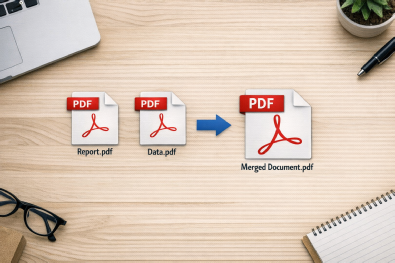
Join any number of PDFs, of any total size, into one print-ready file. The merge runs inside this browser tab, so your documents never reach a server — and because there is no server bill to pay, there is nothing to cap and nothing to charge you for.
The tool
Add the files, drag them into the order you want, then merge. Nothing is sent anywhere and nothing is stored.
Files merge left to right, top to bottom. Drag a card to move it, or use the arrows on the card if you are on a phone.
Saved to your device as merged_by_bulkprintouts.pdf
Most free PDF mergers upload your files to their own servers, which is exactly why they cap you at a handful of files, around 100 MB, or a few jobs a day before asking you to subscribe. This one does the work on your own device using JavaScript, so none of those caps exist. It is free permanently, with no account, no watermark and no paid tier hiding behind it.
A rough guide to what your hardware will take: a phone handles about 200–300 MB of combined PDFs, an 8 GB laptop about 1 GB, and a 16 GB desktop several gigabytes in one go. If a very large merge stalls, close your other browser tabs to free the memory and try again.
The difference
It is not generosity. It is a different design.
Every online PDF merger that makes you watch a progress bar is copying your files to a machine in a data centre, merging them there and sending the result back. That costs the operator bandwidth, storage and processing time on every single job, so limits are simply how they stay solvent — a cap on files, a cap on megabytes, a cap on jobs per day, a watermark, or a subscription button.
This page inverts that. Your browser already contains everything needed to open and rebuild a PDF, so the two libraries it uses load once and then work entirely on your machine. Your files are read from disk straight into this tab's memory and never travel over the network. That is why the honest answer to "what is the file size limit?" here is "however much RAM you have", and why there is no premium plan to upsell you to.
The privacy side matters as much as the limits. Merging salary slips, a client contract, a medical file or an unreleased question paper on a stranger's server means trusting their retention policy. Here there is no policy to trust, because there is no copy to retain. You can verify it yourself: open your browser's developer tools, switch to the Network tab, and run a merge. Nothing leaves.
Before you merge
Every file becomes a card showing its real first page and its page count, so a wrongly named file is obvious before it lands in the middle of a book.
Drag the cards on a computer, or tap the ◀ and ▶ arrows on each card on a phone, where dragging never works properly.
Type 1-3,5,8-10 into a card's page box to pull just those pages from that file and leave the rest out.
Each blank page appears as its own card. Delete the ones you do not want, or drag a blank somewhere else entirely.
A light header on every page makes a merged bundle of assignments, invoices or scans far easier to navigate later.
Sequential numbers from 1 to the last page, separators included, centred at the foot of every page.
Pages are copied as objects rather than re-rendered, so text stays selectable, images keep their resolution and the file prints exactly as the originals did.
Once this page has loaded, the merge itself needs no connection. If your internet drops mid-job, it carries on regardless.
Compared
Free-tier numbers on the big sites change often, so check their current terms yourself. The structural point is what matters: a server-side tool must impose limits, a browser-side tool need not.
| BulkPrintouts merge | Typical server-side merger | |
|---|---|---|
| Files per merge | Unlimited | Usually capped on the free tier |
| Total file size | Unlimited — device RAM only | Usually tens to low hundreds of MB |
| Files leave your device | Never | Yes — that is how it works |
| Jobs per day | Unlimited | Often limited without an account |
| Watermark on output | None | Sometimes on free output |
| Sign-up | Not required | Often required for bigger jobs |
| Cost | Free, no paid tier exists | Freemium, with an upgrade prompt |
| Works after internet drops | Yes | No |
| Blank separator pages | Yes, individually placed | Rarely offered |
These tools were written because customers kept sending us thirty separate chapter files at eleven at night, or hitting a 100 MB wall on some other site the evening before a submission deadline.
Join lecture notes, past question papers and assignments into one numbered notebook PDF, then print it double-sided and spiral bind it.
B&W printing from ₹0.50 a side →Merge chapter files in order, drop a blank page where a chapter must start on a fresh right-hand sheet, number the pages, and hand over one clean file for binding.
Bulk book printing →Combine a month of invoices, statements or reports into one archive PDF with the source filename printed on every page.
Count the pages first →Contracts, ID documents, medical records and exam papers can be merged without a copy ever reaching an outside server.
Our data policy →How to
Click Select PDFs or drag them onto the page. Each one becomes a card with a thumbnail and a page count.
Drag the cards, or use the arrows on each card. The circled number is that file's position in the final PDF.
Type a range such as 1-3,5,8-10 in a card's page box to take only part of that file. Leave it blank for all pages.
Switch on blank separators, the filename header or page numbers. Separators appear as deletable cards, so you decide exactly where they land.
Click Merge & download. The file is built here and saved with your first file's name plus _merged_by_bulkprintouts.pdf.
Questions
There is no limit on the number of files. Because merging happens on your device rather than on a server, there is no bandwidth cost that would need capping. Merging 100 to 300 chapter files into one book PDF is routine here.
No. Nothing is uploaded, so there is no upload limit to hit. The only ceiling is your device's memory — roughly 200–300 MB on a phone, about 1 GB on an 8 GB laptop, and several gigabytes on a 16 GB desktop.
No. The PDFs are read into this browser tab and merged there. No copy is sent to BulkPrintouts or to anyone else, which is why the tool is safe for confidential material. Watch the Network tab in your browser's developer tools during a merge and you will see nothing leave your machine.
No. The pages come out exactly as they went in. Only the downloaded filename mentions BulkPrintouts, and you are free to rename it.
Neither. There is no account, no email, no OTP, no daily task limit and no premium version. Every feature on this page is available to everyone, every time.
Yes. Each card has a page box. Type 1-3,5,8-10 to copy only those pages from that file. Ranges count from page 1 of that file, not of the merged document.
Yes, and unusually, you can see and control every one of them. Switch on blank pages between files and each separator appears as its own card in position. Delete any you do not want, or drag one elsewhere. This matters for double-sided book printing, where each chapter should begin on a right-hand page.
Yes. Switch on page numbers and every page of the finished file, blanks included, is numbered at the bottom centre in the form 1 / 120. If you only need numbering and not merging, use the page numbering tool instead.
Neither. Pages are copied object by object rather than re-rendered, so nothing is re-compressed and text stays as text. The merged file is close to the sum of the originals, sometimes slightly smaller where shared resources are reused.
A file with owner restrictions but no open password will usually merge. A file that demands a password before it will open must be unlocked first, in whatever app you normally read it with.
Any current version of Chrome, Edge, Firefox, Safari, Brave or Opera, on Windows, macOS, Linux, Android or iOS. On phones, use the arrow buttons rather than dragging, as touch devices do not support HTML drag-and-drop reliably.
Yes — that is what it was built for. Merge the chapters, add blank pages where sections must start on a fresh sheet, number the pages, then send the single PDF for bulk book printing with spiral, perfect or hard binding at BulkPrintouts in Borivali West, Mumbai, with courier delivery across India.
We are a bulk printing works in Borivali West, Mumbai, printing over 80,000 pages a day for schools, colleges, coaching institutes and offices across India on laser book-printing equipment at 600 DPI. Send us the merged PDF on WhatsApp and we will quote it, print it, bind it and courier it anywhere in the country.