





Mail : bulkprintouts@gmail.com
Call / Whatsaap : 9820 169 619

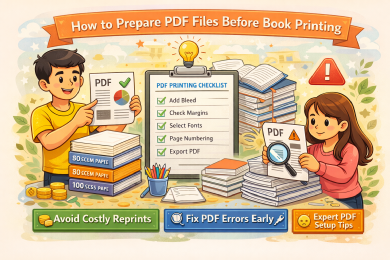
How to Prepare PDF Files Before Book Printing
Incorrectly prepared PDF files are one of the most common reasons for printing errors, extra cost and reprints. This guide explains how to prepare print-ready PDF files for book printing so that margins, alignment and page order remain accurate.
Use Print-Ready PDF FormatPDF is the most reliable format for book printing because it preserves fonts, layout and page alignment across devices. Avoid submitting editable formats such as Word or PowerPoint files, as they may shift during printing. |
Check Page Size and OrientationEnsure that all pages in the PDF use the correct page size, such as A4 or A5, and maintain consistent orientation throughout the document. Mixed page sizes or rotated pages can cause trimming or binding issues during printing. |
Maintain Proper Margins for BindingBook printing requires sufficient inner margins so that text does not get hidden near the binding area. Pages with narrow margins may look fine on screen but become difficult to read after binding. |
Remove Blank and Duplicate PagesExtra blank pages or accidental duplicates increase page count and printing cost. Carefully review the entire PDF to remove unnecessary pages before submitting it for printing. |
Review Page Order and Final OutputEnsure that the page order is correct, especially for double-sided printing and book layouts. A final review helps prevent reprints and ensures the printed book matches your expectations. |
SummaryPreparing a clean, print-ready PDF is essential for successful book printing. By checking format, margins, page size and page order, students and authors can avoid errors and control printing cost effectively. |